
ISSUE: Touch screen does not work in pop-up message but works everywhere else.
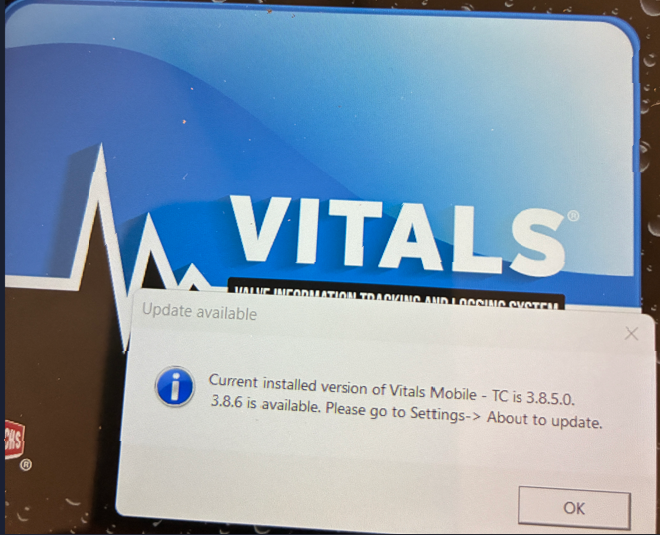
When launching the Vitals Mobile app it will automatically check if there is an update available (if connected to the internet), if there is one available, it will show a pop-up message as shown below. Trying to click on the pop-up message will lock up the screen.
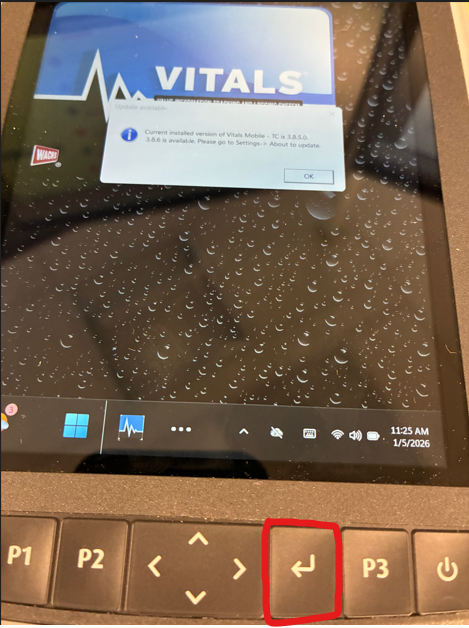
Short term REMEDY: If the touchscreen is unresponsive after trying to click OK on the pop-up message, try clicking the Enter key (shown below) in the physical keypad on the TC-110 controller, this should click the OK button, and the window should go away and launch the app normally.
FIX: Install Vitals Mobile 3.8.8 or newer to fix the problem.
Vitals Mobile 3.8.8 Download: Vitals Mobile 3.8.8
TIP: Download file to a USB drive and then move the file to the TC-110 and run the file from there to update it. If the pup up messages are still there, just do a Restart first and then run the file, otherwise you might have issues if you run the file with Vitals mobile still running in the background.